

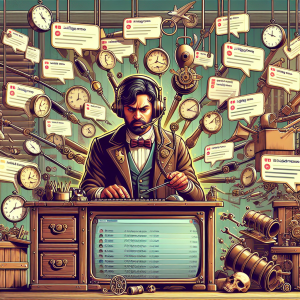
Any small business owner knows the feeling. You’re in the middle of helping a customer face-to-face when your phone buzzes. It’s a message—maybe from Facebook, WhatsApp, email, or your website. And then another buzz. Someone left a voicemail. In a world where customers expect fast, personal responses anytime, small teams get stretched thin managing constant digital communication. But what if the real problem isn’t the messages—they’re the symptom? The real issue is fragmentation.
The Problem No One Talks About
At a recent local business meetup, I asked a dozen small business owners a simple question: “How do you manage your customer messages each day?” The room was filled with exhales, chuckles, and one groan loud enough to echo. Their answers varied—from email folders to social media tabs to sticky notes with callback lists. Some even joked that missing messages was just part of life.
One coffee shop owner told me how she responded to Facebook messages during her breaks and Instagram DMs after she closed. Important customer requests would get buried under a sea of irrelevant spam, and she always felt behind. Another business, a small accounting firm, kept a shared spreadsheet to log all their client messages because they had “lost one too many” emails in cluttered inboxes.
These aren’t technical issues—they’re workflow issues. And they’re costing businesses more time and opportunity than they realize.
Context Switching = Productivity Killer
Studies in workplace productivity consistently show that switching between apps or communication modes—what’s known as “context switching”—can reduce efficiency by up to 40%. For a small team, that loss is huge. Every time you jump from Facebook to Gmail to WhatsApp to check if someone messaged you back, you not only lose focus, but add to the chaos.
What we’re really dealing with is a loss of visibility. It’s hard to prioritize when everything feels urgent. It’s hard to delegate when all incoming messages are spread across a dozen platforms. And worst of all, it’s hard to build trust with customers when their messages get skipped or delayed accidentally.
A New Approach: Manage All Chats in One Inbox
Here’s where modern platforms like xapp.zone come in. What these tools offer isn’t just a shiny dashboard—it’s the power to unify, to collect, and to simplify. When you manage all chats in one inbox, you reclaim your time. You get a panel that shows who messaged you, where they messaged you, and lets you or your team respond without toggling or tab-hopping.
Imagine getting an order inquiry from your website, a follow-up question over WhatsApp, and a review on Facebook—all appearing in one place, chronologically. That’s not just easier—that’s smarter. You see the full picture of your customer relationship, and you respond faster, with more context.
Community Tips That Actually Work
We gathered some practical strategies from small businesses in our XAPP community to help streamline communication:
- Segment channels by topic: Use labels or categories for sales, support, or internal chats.
- Create response templates: Save time on common replies without sounding robotic.
- Set office hours for messages: Let customers know when you’re available, especially on weekends.
- Designate a communications lead: Even in a team of two, decide who owns which inbox parts.
These aren’t just tips. They’re battle-tested processes that help real small businesses break out of reactive mode and start being intentional with digital communications.
Time: Your Most Precious Asset
As a small business owner, your time isn’t just valuable—it’s foundational. The hours you spend bouncing between apps could instead be spent building relationships, improving services, or simply taking a well-deserved break. That begins when you stop letting messages manage you—and start managing them.
Ready to stop the madness and get back your time? Join hundreds of other small business owners taking control of their communication. Sign up for our newsletter and get weekly tips, community stories, and smarter digital insights—right in your (single) inbox.