

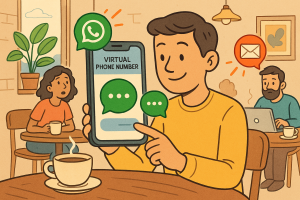
Freelancers and solopreneurs thrive on communication. Yet, juggling multiple messaging apps can slow you down. In today’s digital landscape, knowing how to connect WhatsApp and SMS effectively can transform customer engagement, streamline workflows, and improve response times. Here’s a breakdown of how to make it work seamlessly.
1. Centralize Your Channels
Instead of switching between apps, unify conversations in one view. Integrating WhatsApp and SMS into your daily toolkit ensures you never miss an update, no matter where a client prefers to chat.
2. Automate First Responses
Automation tools can send instant replies via both platforms, setting professional expectations while you focus on real work. Today’s clients value promptness, even before you personally respond.
3. Sync Contacts and Labels
When your contact database syncs across WhatsApp and SMS, managing leads becomes smoother. It also reduces the risk of double messaging or lost details.
4. Measure Engagement Analytics
Digital freelancers should treat communication as a data source. Track open rates and response times across WhatsApp and SMS to understand what channels drive conversion.
5. Secure Your Privacy
Use tools that encrypt both SMS and WhatsApp data. This helps you maintain compliance with privacy standards while protecting client information.
Mastering how to connect WhatsApp and SMS isn’t just a tech upgrade—it’s a step toward more strategic, efficient client communication. Read more on our blog at xapp.zone for an expert deep dive into optimizing your digital presence.