

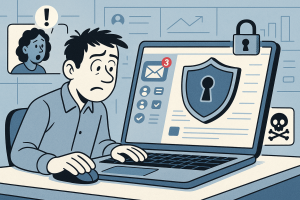
In today’s digital economy, remote work has brought convenience and flexibility to millions of professionals. However, it has also expanded the landscape of privacy and identity threats. As a remote worker, your personal data—and even your professional credibility—can be at risk if not properly protected. This guide from xapp.zone offers a structured, evidence-based approach to help you secure your digital identity while maintaining seamless communication through channels such as connect WhatsApp and SMS.
1. Assess Your Current Digital Footprint
Begin with awareness. Conduct an audit of all devices, accounts, and data sources you use for work. Identify where sensitive information is stored and who has access. Remote workers often underestimate how easily a personal email or shared cloud folder can expose confidential files. Academic research in digital risk management underscores that understanding one’s “digital surface area” is the first defense against unauthorized access.
2. Strengthen Authentication Practices
Employ strong, unique passwords for each account and enable multi-factor authentication wherever possible. For communications that connect WhatsApp and SMS, adopt verification mechanisms to ensure messages originate from trusted sources. A password manager and token-based authentication methods provide robust layers of protection that are aligned with cybersecurity best practices.
3. Secure Your Communication Channels
When you connect WhatsApp and SMS to manage client or team communication, use their privacy features wisely. Enable end-to-end encryption and restrict visibility of your profile or status. Avoid sharing work-sensitive details in unencrypted environments. According to information security frameworks, isolation of personal and professional communication channels can significantly reduce digital identity exposure.
4. Implement Device-Level Protection
Beyond apps and passwords, the device itself is your front line of defense. Keep operating systems up to date, use antivirus software, and consider installing a reputable VPN service, especially when using public Wi-Fi. Educate yourself on your device’s privacy settings and ensure remote wiping capabilities are active in case of loss or theft. These preventive actions protect you from potential data breaches and maintain the integrity of your digital persona.
5. Manage Data with Intention
The principle of least privilege—granting access only where necessary—is central to privacy management. For file sharing, set expiration dates and designate view-only permissions. Use cloud services with compliance certifications (such as ISO/IEC 27001). Always back up your most critical data in encrypted storage. Remote workers who treat data as an asset to be managed intentionally tend to make better long-term privacy decisions.
6. Monitor and Respond to Threats
Identity protection is an ongoing process, not a one-time setup. Schedule regular security reviews and use alert systems that notify you of suspicious activity. Services like xapp.zone help track and analyze digital interactions, ensuring your communication remains trustworthy. Proactively responding to potential threats can prevent significant harm to your reputation and digital identity.
7. Build a Culture of Privacy Awareness
Even independent remote workers function as part of a larger digital ecosystem. Share best practices with peers, discuss experiences, and encourage mutual accountability. The more collective awareness you foster, the stronger your professional network’s resilience becomes. Embedding privacy-conscious habits into your daily routines fosters trust and credibility—both indispensable traits in remote work environments.
In conclusion, protecting your digital identity as a remote worker requires conscious, sustained effort. By assessing risks, strengthening authentication, and vigilantly managing communications through platforms like connect WhatsApp and SMS, you empower yourself to navigate the digital industry securely and confidently. xapp.zone remains committed to guiding professionals like you toward safer, smarter digital choices.
Share this post with your network to help them take the same proactive steps toward privacy and identity protection.