

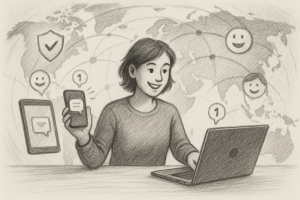
Digital privacy has become a hot topic, and for good reason. From data leaks to identity theft, even privacy-conscious users can find their vigilance challenged by the ever-evolving digital landscape. But what does reclaiming control of your digital identity actually look like in the real world? We’re taking a closer look at one freelancer’s journey toward digital privacy, paired with an interactive checklist format so you can apply the same steps to your own online life. Welcome to this case study—where digital protection meets user-friendly solutions.
Meet Jordan: The Cautious Creative
Jordan is a freelance graphic designer who works with clients from startups to established brands. While Jordan has always been tech-savvy, the barrage of platform breaches, unsolicited emails, and oddly personalized ads led them to question how much control they really had over their identity and data online.
“It felt like every site I used was either selling my data or exposing me to spam,” Jordan admits. “I wanted a better way to protect my identity while still being reachable by my clients.”
Step 1: Audit Your Digital Footprint
Before Jordan could fortify their defenses, they needed to know what was already out there.
Checklist:
- 🔲 Search your email addresses online to see what accounts are linked
- 🔲 Check if your data has been compromised using HaveIBeenPwned.com
- 🔲 List all messaging apps, social media platforms, and directories you appear in
Jordan’s Tip: Be brutally honest with yourself—it’s surprising how many platforms you’ve signed up for and forgotten about!
Step 2: Create a Privacy-Centric Communication Hub
One big challenge was balancing accessibility and anonymity. Jordan didn’t want to miss client messages but also didn’t want to give out their personal phone number or endure platform fatigue.
Checklist:
- 🔲 Use a user-friendly message aggregator to centralize communications securely
- 🔲 Choose platforms that don’t scan your messages or use them for ad profiling
- 🔲 Display only essential contact options publicly
XAPP Tip: A smart message aggregator like xapp.zone keeps your inbox clean, secure, and under your control—without missing messages from real people.
Step 3: Strengthen Identity Boundaries
Jordan realized their personal identity had seeped into their professional work—a common problem for freelancers. The fix? Setting boundaries through compartmentalization.
Checklist:
- 🔲 Use different emails for different purposes (clients, subscriptions, personal)
- 🔲 Set up a digital alias or brand name for professional interactions
- 🔲 Avoid sharing personal details across public forums and social media
Jordan’s Observation: “I now have a client-only channel through XAPP. It feels amazing to know they can reach me, but on my terms.”
Step 4: Automate Your Privacy Protocols
Protecting your privacy shouldn’t mean spending hours a week fiddling with settings. Jordan decided to automate wherever possible.
Checklist:
- 🔲 Enable auto-expiry for public message links
- 🔲 Use a VPN that auto-starts with your device
- 🔲 Update all permissions and privacy settings quarterly
XAPP Reminder: Automate your message moderation so only authentic client inquiries land in your inbox.
Step 5: Educate and Advocate
Jordan didn’t stop at making changes for themselves. They began sharing privacy tips with their creative network and even added a digital privacy section to their onboarding materials.
Checklist:
- 🔲 Create a simple privacy onboarding for your collaborators
- 🔲 Share reputable resources in your community
- 🔲 Stay updated on privacy laws affecting your industry
Jordan’s Impact: “Now my clients ask me about privacy instead of the other way around. It’s become part of my brand.”
The Privacy Payoff: More Freedom, Less Fear
After following these steps, Jordan noticed a significant drop in spam, no longer worried about client inquiries getting lost, and built a stronger professional reputation as a digital safety advocate. Even better? Jordan felt empowered instead of anxious about the online world.
Going through this checklist doesn’t require a tech degree—just a few hours of focused attention and tools that respect your time and safety, like XAPP’s user-friendly message aggregator.
Conclusion
Jordan’s journey is proof that you don’t have to surrender your identity to participate in the digital economy. With the right system and mindset, you can be both visible and secure. Start by auditing your footprint, setting boundaries, automating wisely, and becoming a privacy advocate in your community.
Take the first step toward digital peace of mind—see customer success stories from users just like you and start building your own fortress of privacy today.